Best USB Wireless Audio Transmitters for Gaming and Home Audio
Whether you’re aiming to free your headphones from wires for gaming, TV viewing, or desktop listening, a USB wireless audio transmitter can be a straightforward upgrade. This guide highlights five top USB-C or USB-A Bluetooth adapters that are popular for PS5, PC, and home audio setups. Each pick targets different needs—lag reduction, broad device compatibility, or easy plug-and-play use—so you can choose the best match for your gear and priorities. Below, you’ll find a quick buyer’s table to compare key options at a glance.
| Product | Best For | Notes |
|---|---|---|
| YOCOWOCO USB-C Bluetooth Adapter for PS5 | PS5 gamers seeking dual USB connectivity and low latency | aptX-Adaptive, LED codec indicators |
| YOCOWOCO USB-C Bluetooth Audio Adapter for PS5 & PS4 | Broad console compatibility with low-latency audio | USB-C with USB-A adapter included |
| UGREEN USB-C Bluetooth Adapter for PS5 | 3-in-1 compatibility with LE Audio and multiple codecs | Low latency options, dual pairing |
| UGREEN USB Bluetooth 5.3 Adapter for PC | Windows desktops with multi-device pairing | Up to 5 devices simultaneously |
| UGREEN Bluetooth 5.3 Adapter for PS4/PS5 | PS5/PS4, Switch, PC users needing easy setup | aptX AD/HD support |
YOCOWOCO USB-C Bluetooth Adapter for PS5

Best for: PS5 players who want true wireless freedom with both USB-A and USB-C options. This 2-in-1 dual-port design supports a wide range of devices beyond PS5, including PC, Switch, and iMac. It offers low-latency audio when paired with compatible headphones and displays the active codec via LED indicators. The data path is audio-only, which keeps latency low but excludes data transfer.
Why selected: Its unique dual-port design provides broad USB compatibility in one compact dongle, simplifying setup across multiple consoles and computers. The device emphasizes audio quality and low latency, making it a solid pick for gaming sessions.
Caution: Low-latency performance depends on headphone support and the aptX-LL capability of your headset. Not all headphones support this codec.
YOCOWOCO USB-C Bluetooth Audio Adapter for PS5 & PS4
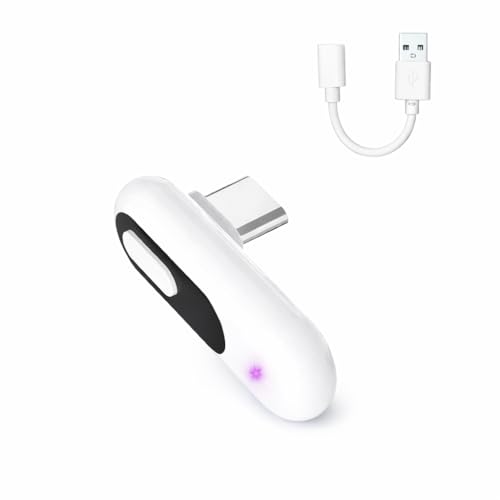
Best for: Gamers seeking broad compatibility with both PS5 and PS4, plus a USB-C interface that includes a USB-A adapter. The device focuses on low-latency wireless audio with aptX-LL and provides a clear LED indicator to verify the active codec.
Why selected: Its emphasis on cross-console use makes it a versatile option for households with multiple generations of Sony consoles, while maintaining straightforward plug-and-play setup.
Caution: Audio transmission is the only data path; no data transfer is supported, and latency depends on supported headphones.
UGREEN USB-C Bluetooth Adapter for PS5

Best for: Users who want LE Audio options and a Qualcomm chipset for stable, low-latency audio on PS5, Switch, or PC. It supports multiple codecs including aptX Adaptive and aptX HD, and provides clear LED status indicators.
Why selected: The LE Audio mode and flexible codec support help tailor audio quality to gaming or music needs, while keeping setup simple.
Caution: Some devices may require compatible headphones to fully realize LE Audio benefits. Not compatible with Linux or certain older systems.
UGREEN USB Bluetooth 5.3 Adapter for PC

Best for: Windows PC users needing robust multi-device support and energy-efficient operation. It allows up to five devices to connect simultaneously, making it suitable for a desk with several Bluetooth peripherals.
Why selected: The upgrade to Bluetooth 5.3 enhances stability and reduces interference, which can improve overall wireless audio performance on a PC setup.
Caution: Windows-only compatibility; not supported on MacOS, Linux, or older Windows versions.
UGREEN Bluetooth 5.3 Adapter for PS4 PS5

Best for: PS5, PS4, Switch, and PC users who want a plug-and-play Bluetooth transmitter with aptX AD and AD features for low-latency audio and high-quality sound.
Why selected: This option emphasizes easy entry into Bluetooth audio for multiple systems, with low-latency streaming and a 3.5 mm microphone option for voice chat on compatible devices.
Caution: The low-latency benefit depends on headphones that support the aptX AD/HD profiles; some setups may not achieve the full delay reduction.
Buying Guide
Key considerations when choosing a USB wireless audio transmitter
- Device compatibility: Check whether the adapter supports your primary device (PS5, PS4, PC, Mac, Switch). Some models include USB-C plus USB-A adapters for broad use.
- Latency and codecs: For gaming, prioritize low-latency codecs such as aptX-LL or aptX-AD. Verify headphone support for the chosen codec to ensure real-time audio sync.
- LE Audio vs. standard Bluetooth: LE Audio can reduce power use and improve efficiency, but requires headphones or speakers that support LE Audio.
- Plug-and-play vs. drivers: Many options are plug-and-play on Windows or specific consoles. Some devices require no software, while others may need drivers on certain platforms.
- Number of connected devices: If you share a listening space, a model that supports multiple simultaneous connections can be beneficial, but note that some adapters limit audio playback to one device at a time when streaming from the same type.
- Input/output paths: Confirm whether you need USB-C only, USB-A, or dual-port designs that provide flexibility across devices.
- Portability and form factor: For travel or couch gaming, select a compact dongle with minimal bulk and clear LED indicators for status at a glance.
FAQ
- Do these adapters require drivers on Windows or Mac? Some do not require drivers on Windows 10/11, while others may need drivers or specific configuration on MacOS or Linux. Check the product notes for each model.
- Is it possible to use these adapters for data transfer or only audio? Most listed adapters are audio-only; they do not support data transfer between devices.
- Can I connect multiple Bluetooth headphones at once? Some adapters support multiple devices simultaneously, but performance can vary by codec and device compatibility. Always verify the maximum pairings and playback rules for the exact model.
- Will LE Audio work with older headphones? LE Audio requires compatible headphones. If your headphones do not support LE Audio, switch to the standard codec options the adapter provides.
- Is latency the same across consoles? Latency depends on the combination of the adapter, the headset, and the host device. Even with low-latency codecs, some setups may exhibit slight delay differences.
- Which adapter is best for a PS5 user who also uses a PC? A model with USB-C and USB-A compatibility, plus aptX-LL or aptX Adaptive, typically covers both PS5 and PC use with a single dongle.